


Best Laptop for Office Use: A Complete Buying Guide
Choosing the best laptop for office use is important for improving productivity, managing daily tasks, and working efficiently. Whether you are an office employee, business owner, freelancer, or work-from-home professional, the right laptop can make your work easier and more comfortable.
A Best laptop for office use should offer reliable performance, long battery life, comfortable typing, sufficient storage, and a display that is suitable for long working hours. You do not always need an expensive laptop for office work. The best choice depends on your workload, budget, and professional requirements.
In this guide, we will explain the essential features to consider when buying the best laptop for office work.
What Is the Best Laptop for Office Use?
The best laptop for office use is one that handles your daily professional tasks smoothly. These tasks may include creating documents, preparing spreadsheets, attending online meetings, sending emails, browsing the internet, and using business applications.
For most office users, a laptop with a modern Intel Core i3 or AMD Ryzen 3 processor or better, 8GB RAM, an SSD, and good battery life can be a reasonable starting point. Users who work with large spreadsheets, multiple applications, programming tools, or demanding software may benefit from 16GB RAM or more and a stronger processor.
Before purchasing a laptop, consider how you will use it every day.
Important Features to Consider When Buying an Office Laptop
1. Processor Performance
The processor is one of the most important components of a laptop. It affects how efficiently your laptop runs applications and handles multiple tasks.
For basic office work, such as email, document editing, and internet browsing, an entry-level modern processor may be sufficient. For multitasking, data analysis, and business applications, consider a more capable processor.
When comparing laptops, check the processor generation, model, performance, and power efficiency rather than choosing based on the brand name alone.
2. RAM for Smooth Multitasking
RAM allows your laptop to manage active applications and tasks. Having enough RAM helps prevent slowdowns when switching between programs.
Here is a general guide:
8GB RAM: Suitable for basic office tasks, web browsing, and document editing.
16GB RAM: A good choice for multitasking, large spreadsheets, and frequent video meetings.
32GB RAM or more: Useful for demanding professional workloads, virtualization, and specialized applications.
For most professionals buying a laptop for daily office use, 16GB RAM is worth considering if it fits their budget.
3. SSD Storage for Faster Performance
Storage affects how much data you can save and how quickly your laptop can access it. An SSD generally offers faster boot times and application loading than a traditional hard disk drive.
For regular office work, a 256GB SSD may be enough if most files are stored online. A 512GB SSD is a more flexible choice for professionals who keep many documents, presentations, applications, and offline files on their laptops.
Check whether the laptop supports storage upgrades before buying it.
4. Battery Life for a Full Working Day
Battery life is particularly important for professionals who travel, attend meetings, or work away from a desk.
Look for a laptop with good real-world battery performance rather than relying only on the manufacturer's advertised figures. Screen brightness, video calls, applications, and network usage can all affect battery life.
If you frequently work outside the office, consider a lightweight laptop with efficient power consumption and convenient charging options.
5. Display Quality and Screen Size
A comfortable display can make a difference when working with spreadsheets, reports, emails, and presentations for several hours.
A 14-inch laptop is often a good option for professionals who need portability. A 15.6-inch laptop may be more comfortable for users who prefer a larger screen or regularly work with spreadsheets.
For most office users, a Full HD display is a practical starting point. Also consider brightness, viewing angles, screen quality, and whether an external monitor can be connected.
6. Keyboard, Touchpad, and Build Quality
Office professionals often spend a large part of their day typing. A comfortable keyboard with adequate key travel and a responsive touchpad can improve the overall working experience.
If you travel frequently, look for a laptop with a sturdy build and a weight you can comfortably carry. Business-oriented laptops may also offer useful features such as additional security options, better port selection, or enhanced service support.
7. Webcam, Microphone, and Connectivity
Video conferencing has become a regular part of modern office work. A laptop with a decent webcam, clear microphone, and reliable wireless connectivity can make online meetings easier.
Before buying, check for the ports you need, such as USB-A, USB-C, HDMI, and a headphone jack. If you regularly connect external displays, storage devices, or office accessories, port selection is especially important.
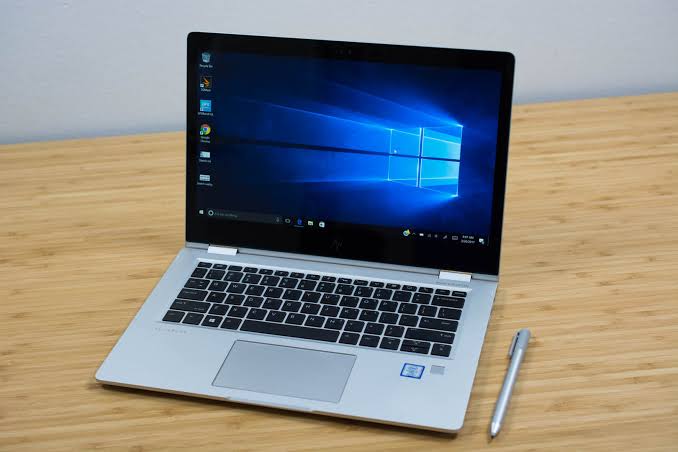
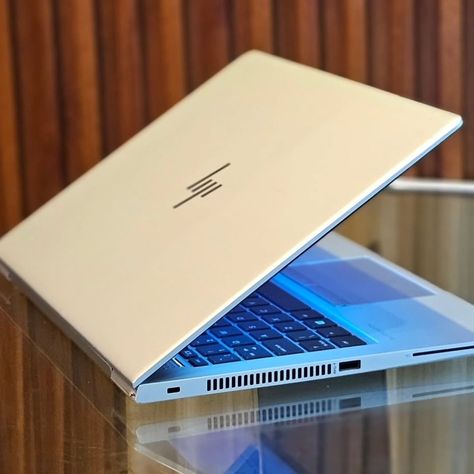
Which Type of Laptop Is Best for Office Work?
Different professionals need different laptop features. Consider these common use cases before making a decision.
Laptop for Basic Office Work
If you mainly use word processors, spreadsheets, email, and web browsers, choose a reliable laptop with a modern entry-level processor, at least 8GB RAM, and SSD storage.
Laptop for Business Professionals
Business professionals may benefit from 16GB RAM, a comfortable keyboard, good battery life, a lightweight design, and useful security features. A dependable warranty and after-sales service are also worth considering.
Laptop for Work From Home
For remote work, prioritize a good webcam, microphone, stable Wi-Fi, and enough processing power for video meetings and multitasking. A larger screen or an external monitor can also improve comfort.
Laptop for Accounting and Data Entry
Accounting professionals should pay attention to keyboard comfort, spreadsheet performance, display size, and compatibility with their accounting software. More RAM may be useful when working with large spreadsheets and multiple applications.
Laptop for Programming and Technical Work
Developers and technical professionals should consider 16GB RAM or more, a capable processor, sufficient SSD storage, and compatibility with their development tools. Specialized workloads may require additional memory or graphics performance.
Recommended Specifications for an Office Laptop
The following specifications are general guidelines, not requirements for every user.
| Feature | Basic office use | Frequent multitasking |
|---|---|---|
| Processor | Modern entry-level processor | Modern mid-range processor or better |
| RAM | 8GB | 16GB or more |
| Storage | 256GB SSD | 512GB SSD or more |
| Display | Full HD | Full HD or better |
| Battery | Suitable for your work routine | Longer real-world battery life |
| Weight | Based on portability needs | Lightweight if travelling often |
Always check the exact specifications of the model you plan to buy. Some laptops have components that cannot be upgraded later.
How to Choose the Best Laptop for Office Use on a Budget
You can find a suitable office laptop without spending more than necessary. Follow these practical tips:
Set your budget: Decide how much you can spend before comparing models.
Identify your work requirements: Basic documentation requires less power than programming or advanced data analysis.
Prioritize RAM and SSD storage: These can make everyday computing smoother.
Compare battery performance: Especially important if you work while travelling.
Check the operating system: Confirm that it supports the applications your workplace requires.
Review warranty and service: Check the warranty terms and availability of authorized service in your area.
Compare the total value: Consider performance, display, keyboard, ports, build quality, and upgrade options instead of price alone.
If you are buying in India, compare current prices, seller reliability, warranty coverage, and available offers before making a purchase.
Common Mistakes to Avoid When Buying an Office Laptop
Avoid these common mistakes when choosing a laptop for professional use:
Buying Best laptop for office use based only in low price.
Choosing a model with insufficient RAM for your workload.
Ignoring SSD storage and upgrade limitations.
Overlooking keyboard comfort and screen quality.
Assuming advertised battery life will match real-world usage.
Forgetting to check ports and software compatibility.
Paying for gaming-level graphics when your office applications do not need them.
The right laptop should meet your current needs while offering enough flexibility for your future work.
Frequently Asked Questions (FAQs)
1. Which laptop is best for office use?
The best laptop for office use depends on your workload and budget. For general office tasks, look for a reliable processor, SSD storage, at least 8GB RAM, a comfortable keyboard, and good battery performance.
2. How much RAM is required for an office laptop?
8GB RAM can be sufficient for basic office tasks. For frequent multitasking, large spreadsheets, and video conferencing, 16GB RAM is a more comfortable option.
3. Is a Core i3 laptop good for office work?
A modern Intel Core i3 laptop can handle many everyday office tasks, including document editing, email, web browsing, and online meetings. Performance depends on the exact processor model and the applications you use.
4. Is an SSD necessary for office work?
An SSD is strongly recommended because it generally provides faster startup times and application loading than a traditional hard drive.
5. Which screen size is best for office use?
A 14-inch screen is suitable for professionals who prioritize portability. A 15.6-inch screen can be more comfortable for users who prefer a larger workspace.
6. Is an expensive laptop necessary for office work?
No. Many office tasks can be handled by an affordable laptop with suitable specifications. More expensive models may offer better performance, build quality, display quality, or security features, depending on the model.
7. What should I check before buying a business laptop?
Check the processor, RAM, SSD capacity, display, keyboard, battery performance, ports, operating system, warranty, and compatibility with your workplace applications.
Conclusion
Choosing the best laptop for office use becomes easier when you understand your professional requirements. For basic office work, prioritize reliability, an SSD, sufficient RAM, and a comfortable keyboard. For demanding multitasking, business applications, and technical work, consider a more powerful processor and 16GB RAM or more.
Compare specifications carefully, check warranty coverage, and select a laptop that balances performance, portability, and price. The best office laptop is not necessarily the most expensive one; it is the one that helps you work efficiently every day.


